Capture from anywhere you read
Plume lives in the toolbar and in the right-click menu. Every kind of post the IndieWeb knows about — notes, articles, bookmarks, replies, likes, reposts, quotes, photos — is one click away.
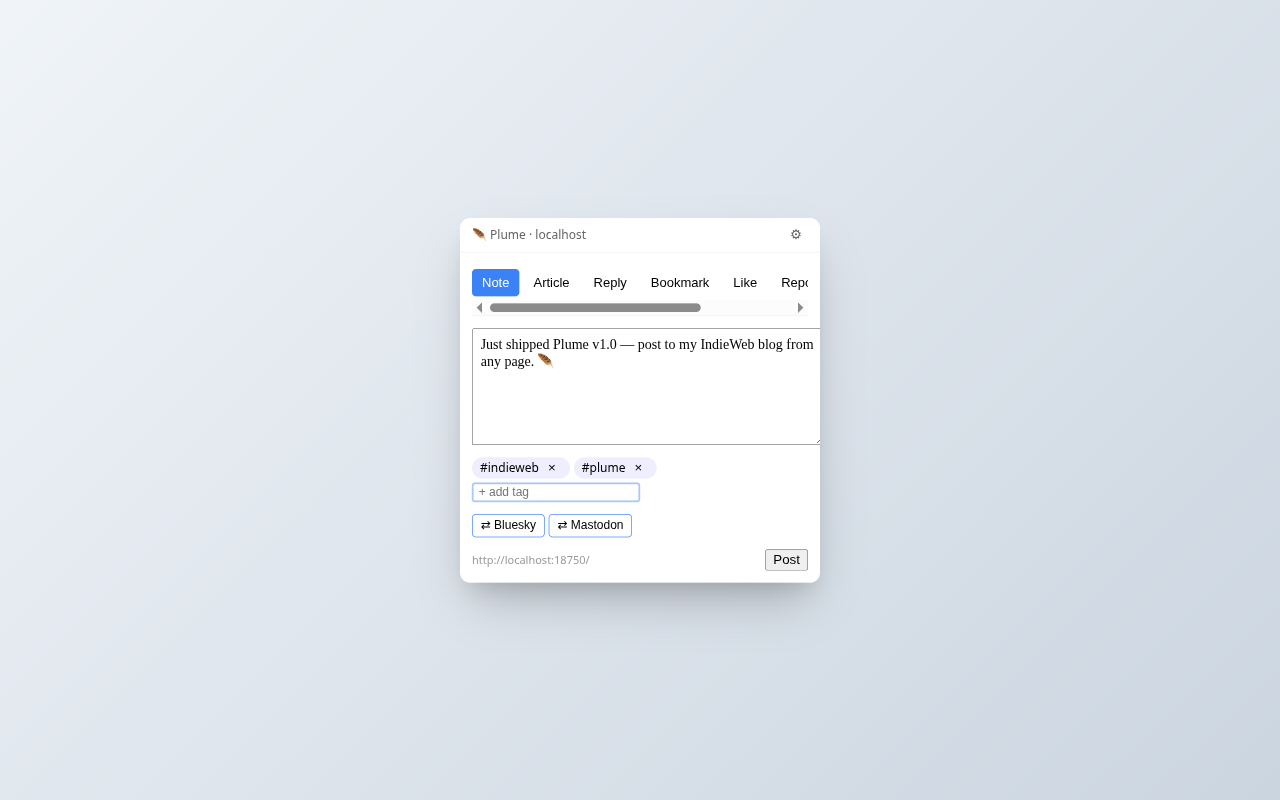
Quick composer
Click the toolbar feather. Type. Pick tags. Choose where to syndicate. Post. The whole loop takes ~5 seconds and never leaves the page you were reading.
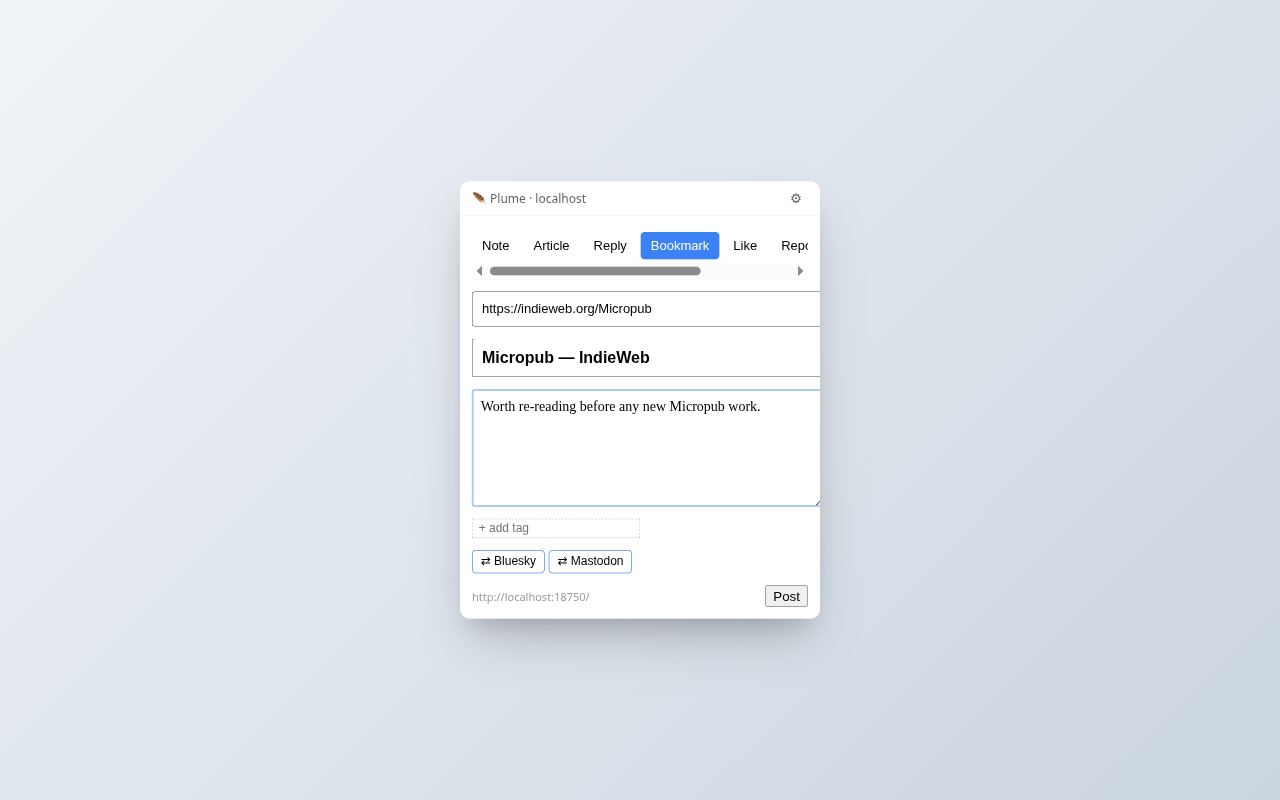
Right-click to bookmark, reply, quote, like
Right-click any page, link, image, or text selection. Plume opens with the right fields pre-filled — URL of what you're bookmarking, page title, the passage you highlighted as a Markdown blockquote with citation.
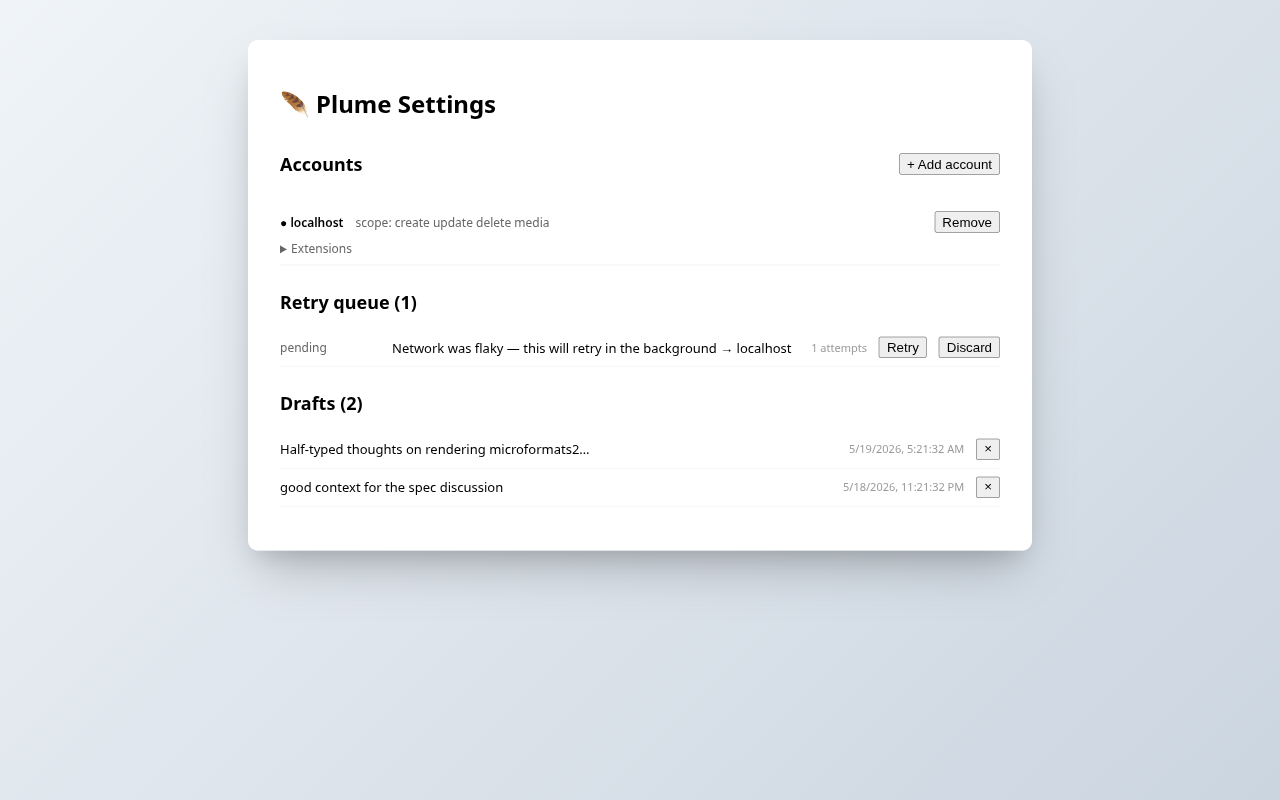
Drafts, retry queue, multi-account
Auto-save while you write — drafts survive across popup closes. Posts that hit a network blip get queued and retried in the background with exponential backoff. Connect multiple Micropub blogs and switch between them.
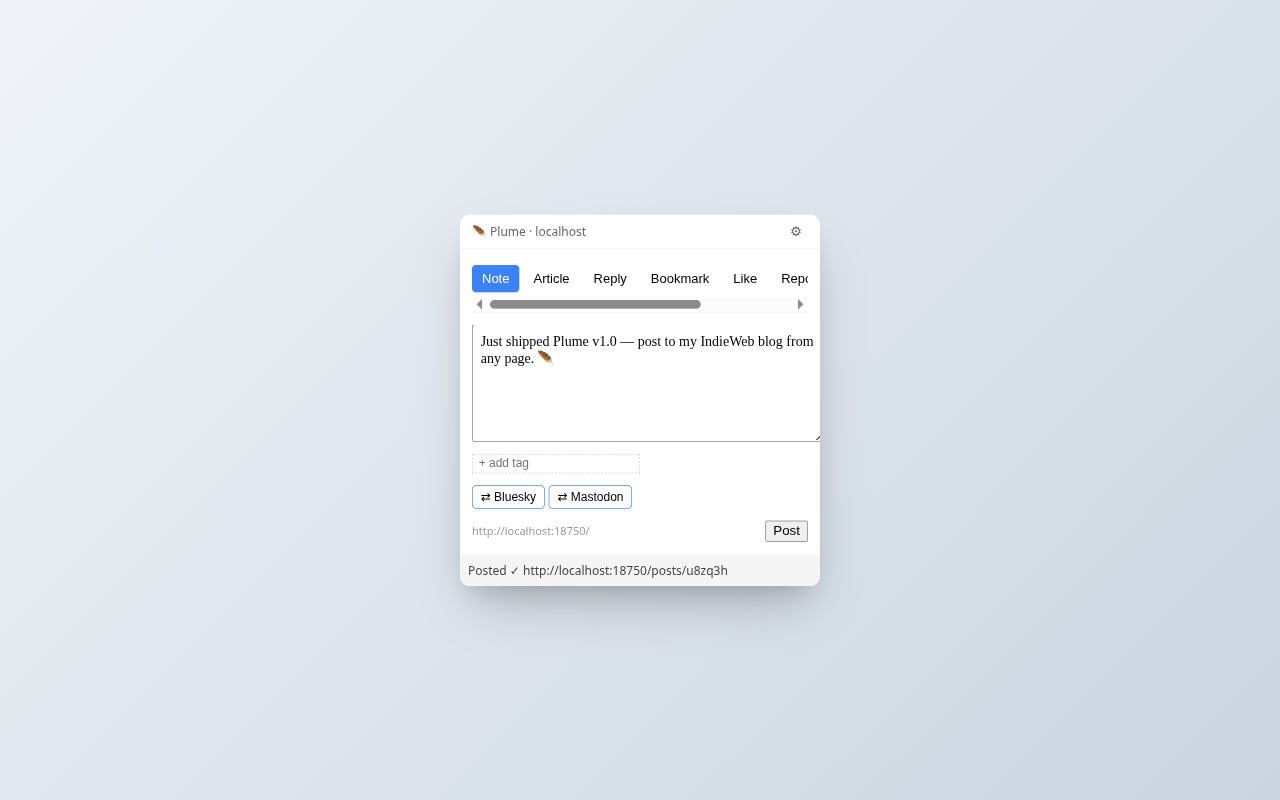
Posted, with a link back
When the server confirms, Plume shows you the URL of your new post and closes. Your content lands on your blog with whatever syndication targets and metadata you chose — exactly as if you'd posted from the admin UI.
What's inside
Everything Plume does runs in your browser. No analytics, no telemetry, no third-party hosts. The only network requests Plume makes are to the Micropub endpoints you connect.
🔐 IndieAuth + PKCE
Standards-compliant OAuth via chrome.identity.launchWebAuthFlow. Tokens
stay on your device.
🪶 Multi-account
Connect more than one Micropub blog. Switch the active account; each keeps its own drafts and queue.
💾 Draft autosave
Per-target drafts auto-save 1 second after each keystroke. Restored on next popup open. 7-day expiry.
🔁 Retry queue
Network outage? Server hiccup? Plume queues failed posts and retries with backoff (30s → 24h). Badge shows queue depth.
🎯 Narrow permissions
Install asks for nothing broad. Host permissions are requested per-account, only when you actually connect a blog.
🧩 Server-aware
Plume reads ?q=config, ?q=post-types, and
?q=category from your blog. Caches 24h.
🤖 AI metadata
Optional per-post fields disclosing AI involvement (level, tools, description). Works with any extension-aware Micropub server.
📝 Markdown authoring
Toolbar with bold, italic, link, list, quote, code, heading. Optional live preview pane with sanitized rendering (snarkdown + DOMPurify, lazy-loaded).
↗ Pop-out composer
Toolbar popup is sized for quick notes. Click the pop-out arrow to open the same composer in a tab at desk-width for long-form articles.
⌨ Keyboard shortcut
Alt+Shift+P opens the composer from any page. Rebindable via the
browser's extension-shortcuts settings.
🌐 Cross-browser
One codebase, Chrome + Firefox manifests. Built on WXT + Preact + TypeScript.
For IndieAuth servers
This page is Plume's IndieAuth client_id URL. When the extension initiates
authentication, your IndieAuth server fetches this URL and reads the
<link rel="redirect_uri"> entries in the <head> to
verify the OAuth callback. Three patterns are declared:
-
https://hcphdjeoolimpjjekegpobkhoealiige.chromiumapp.org/— pinned Chrome extension ID (assigned by the Chrome Web Store at first upload). The same ID is used by unpacked dev installs becausewxt.config.tsembeds the CWS public key asmanifest.keyin development mode — dev and prod share one ID. -
https://*.chromiumapp.org/— wildcard fallback for unpacked dev installs that don't embed the CWS public key -
https://*.extensions.allizom.org/— Firefox addon callback (UUID is per-install, can't be pinned)
Indiekit servers running
@rmdes/indiekit-endpoint-auth
1.0.0-beta.31 or later support fetching this URL and matching wildcards. Other IndieAuth
servers may need to implement
redirect URL discovery
similarly.
On the AI transparency convention
Plume ships with an opt-in panel for the AI transparency metadata convention defined by
Ricardo Mendes at
Adding AI usage metadata to posts. The convention proposes four mf2 properties on h-entry posts:
ai-text-level (0–3), ai-code-level (0–2),
ai-tools, and ai-description. This isn't (yet) a Micropub or
IndieWeb specification — it's a working convention with a reference server
implementation in
@rmdes/indiekit-endpoint-posts
and a reference client implementation in Plume.
Plume auto-detects support by scanning the Micropub server's
?q=post-types response and matching known extension property names against
each post type's properties[] array. This uses only spec-defined Micropub
surface (properties[] on ?q=post-types entries is documented
to list the mf2 fields a post type accepts), so any Micropub server that advertises the
AI metadata fields the standard way will work with Plume automatically — no
vendor-specific discovery field required. When the server advertises the required
properties, the options page shows a "✓ Server supports" badge next to the extension
toggle; users still opt in explicitly per account.